10 Ways to Turn Breeze ServUs into a Revenue Engine

Your QR Menu Is Live. Now What?

Many restaurants invest in a QR menu expecting the technology itself to improve operations. Well, it doesn’t.

A QR code is simply a gateway. The real value comes from how you use it.

The restaurants seeing the strongest results aren’t necessarily the ones with the newest technology, they’re the ones continuously optimizing the digital guest journey.

Because today’s QR menu is much more than a replacement for printed menus. It has become a sales channel, a marketing platform, a customer feedback tool, a loyalty engine, and an operational assistant sitting on every table.

Restaurants that actively leverage these capabilities typically achieve:

  • Higher average order value through smarter upselling
  • More repeat customers with built-in loyalty mechanics
  • Better Google and TripAdvisor ratings
  • Faster ordering and payment with less pressure on staff
  • Higher profitability without increasing labor costs

If your Breeze ServUs deployment is already live, here are ten practical improvements you can implement today.

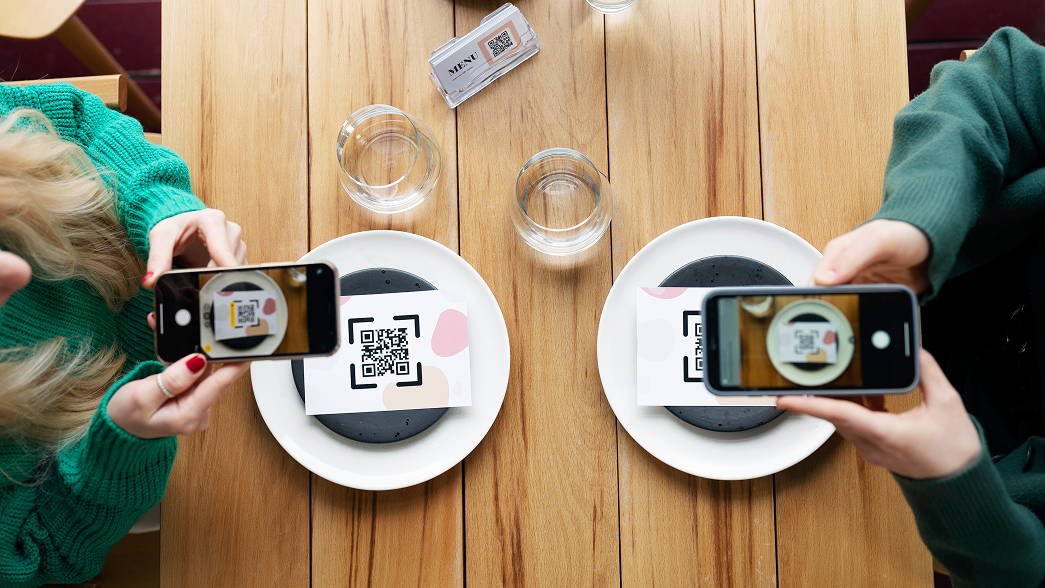
1. Make the First Scan Count

The guest journey begins the moment someone scans the QR code.

Many restaurants immediately display the menu, but introducing a simple JoinUs step creates a far better experience for groups.

Instead of one guest ordering for the entire table, every diner joins the session, browses independently, and places their own order.

The result is remarkably consistent: more drinks, more desserts, more add-ons, and fewer forgotten items.

Action checklist

  • Enable the JoinUs modal.
  • Use a simple call-to-action such as “Join your table and start ordering.”
  • Clearly explain the benefit to guests.
  • Keep the prompt visible before the menu opens.

2. Stop Discounting. Start Building Loyalty.

Discounts drive one transaction. Loyalty drives the next one.

Instead of giving guests 10% off today’s bill, reward them with points they can redeem on a future visit. 2 visits are better than just 1. The perceived value remains high while protecting your margins and encouraging repeat business.

Over time, this simple shift increases customer lifetime value instead of simply reducing today’s revenue.

Action checklist

  • Activate points as a payment option.
  • Replace discount campaigns with “Earn & Redeem” offers.
  • Promote rewards directly inside the digital menu.

3. Increase Tips Digitally

Digital tipping removes the awkwardness from the payment process.

When guests are presented with predefined tip options during checkout, they are significantly more likely to reward excellent service. 

This benefits both employees and the business by improving motivation, service quality, and overall transaction value.

Action checklist

  • Enable digital tipping.
  • Offer two or three predefined percentages: 5%, 10%, 15% tips, 40–60% of customers choose an option and average ticket increases without price changes.
  • Keep tipping optional but clearly visible.

4. Capture Feedback Before It Becomes a One-Star Review

Every restaurant receives unhappy customers. The difference is where they express it.

Collecting feedback immediately after an order allows managers to identify service issues before they appear on Google or TripAdvisor. Private feedback creates an opportunity to recover the guest experience while improving internal operations.

Action checklist

  • Enable post-order feedback.
  • Keep the survey short (rating + optional comment).
  • Trigger it automatically after the visit.

5. Turn Happy Guests into Your Best Marketing Team

Online reviews remain one of the strongest ranking signals for restaurants.

Instead of asking every customer to leave a review, create a smarter flow. Guests who rate their experience highly can be invited directly to Google or TripAdvisor, while dissatisfied guests are encouraged to leave private feedback instead.

It’s a simple approach that steadily improves online reputation while protecting your brand.

Action checklist

  • Configure Google and TripAdvisor review links.
  • Redirect only highly satisfied guests.
  • Use a friendly prompt such as “Enjoyed your visit? Share your experience with others.”

6. Treat Your Digital Menu Like Your Best Salesperson

Menu engineering doesn’t stop at pricing. The way products are presented has a direct impact on purchasing decisions.

Guests naturally choose dishes that are easier to discover and more visually appealing. High-margin products should never be buried halfway down a category.

Instead, use images, featured sections, promotional banners, and smart product positioning to guide purchasing behavior.

Action checklist

  • Highlight signature and premium dishes.
  • Place high-margin items near the top.
  • Add professional photography.
  • Use visual sections and promotional tags.

7. Speed Up Payments with Scan & Pay

One of the longest waits during a restaurant visit often comes at the end.

Scan & Pay removes that friction by allowing guests to settle the bill directly from their phone.

For operators, the benefits extend far beyond convenience:

  • Faster table turnover
  • Shorter queues
  • Better guest experience
  • Increased seating capacity during busy periods

Action checklist

  • Activate Scan & Pay.
  • Verify all payment methods are working correctly.
  • Train staff to recommend it during peak hours.

8. Turn Your QR Menu into an SEO Asset

Most restaurants overlook one powerful advantage of digital menus. Properly optimized, your Breeze ServUs menu can appear in Google search results, helping new guests discover your restaurant directly instead of through third-party delivery platforms.

That means more visibility, more direct traffic, and lower acquisition costs.

Action checklist

  • Configure SEO titles and descriptions.
  • Use relevant food and location keywords.
  • Keep your menu updated with current products.

9. Use Digital Receipts to Stay Connected

A receipt doesn’t have to be the end of the customer journey.

Sending receipts by email creates a more professional experience while opening the door for future marketing, loyalty campaigns, and personalized communication.

Business travelers also appreciate the convenience of digital expense records.

Action checklist

  • Enable email receipts.
  • Collect customer email addresses during checkout.
  • Customize the receipt template with your branding.

10. Unlock Additional Revenue with Hotel Mode

For hotels, flexibility creates more opportunities to sell.

Guests can choose between pickup and room service while operators configure delivery fees, ordering rules, and service charges that fit their business model.

The result is a smoother guest experience and higher food & beverage revenue with minimal operational effort.

Action checklist

  • Activate Hotel Mode.
  • Configure room service and pickup correctly.
  • Add optional delivery or service charges where appropriate.

Your QR Menu Is a Business Growth Platform

The most successful Breeze ServUs customers think of their QR menu as an active part of their commercial strategy.

Every scan is an opportunity to increase basket size, every order is an opportunity to build loyalty, every payment is an opportunity to improve efficiency, while every visit is an opportunity to collect feedback and strengthen your online reputation.

Technology alone doesn’t drive restaurant growth. Using it strategically does.

If your Breeze ServUs deployment is already live, take a few minutes to review these ten recommendations with your team. Chances are you’re already using some, but activating the rest could unlock new revenue without adding staff or increasing operational complexity.

Request a free demo by filling out the form below.

    Kiosk – Changelog

    Guest Experience

    Turkish language support: Kiosk can now support Turkish content, helping brands serve Turkish-speaking guests with a more natural self-ordering experience.

    Smoother modifier selection: When guests select the maximum allowed options in a modifier group, the flow can automatically move to the next group. Mandatory groups can also be configured to preselect the first option, reducing hesitation and unnecessary taps

    Support for size-only configured products: Products that only require a size selection can now be displayed correctly in the kiosk configurator. This supports simpler product setups without forcing extra steps into the guest journey.

    Clearer cart totals: Operators can use a cart display option that presents the total price without separately showing every subproduct or modifier price, creating a cleaner guest summary where that pricing style is preferred.

    Commercial Growth

    Earlier meal upgrade prompts: Sandwich-to-meal upgrade prompts can now appear immediately after the guest selects the product, while the purchase decision is still active. This gives restaurants a stronger moment to promote regular or large meal upgrades.

    Product recommendations at add-to-cart: Item-level recommendations can appear as soon as an item is added to the cart. Cart-based upsell rules can continue to run separately, giving operators both immediate add-on prompts and cart-level recommendations.

    Consistent New labels: Products marked as New are now highlighted consistently in product listings, combo menu steps, and modifier choices. This makes new launches easier for guests to notice throughout the ordering path.

    Recommended rollout preparation

    Confirm active kiosk languages and translated product content before enabling Turkish for live stores.

    Test loyalty QR scanning and discount rules with real customer-program scenarios before activating in production.

    Review item labels, product recommendations, and cart upsell rules in Egenda/Breeze to decide where each promotion should appear.

    Validate transaction type rules for products and recommendations, especially where menus differ between dine-in, takeaway, pickup, or table service.

    Check table service settings for each kiosk profile and location before rollout.

    Operational Control

    Transaction-aware menus and recommendations: Product availability now respects the selected transaction type. If a product or recommendation is not valid for that order type, it can be excluded from the guest view, reducing ordering errors and operational exceptions.

    Transaction type visible in the cart: The selected order type and service type can be shown and changed directly from the cart summary. For table service, guests return to the cart summary after entering the table number, improving confirmation before checkout.

    Table service activation reflected in the guest flow: When table service is enabled or disabled in administration, the kiosk and app experience can reflect that availability, helping restaurants manage service modes by location and operating period.

    Loyalty and Customer Programs

    Dynamic loyalty QR scanning: Kiosk loyalty scanning now supports dynamic QR formats from the mobile app, so guests can identify themselves more reliably when using loyalty at the kiosk.

    Loyalty discount support: Kiosk can support loyalty-based discounts, including scenarios such as student discount eligibility. This helps restaurants apply customer program benefits consistently across kiosk, app, and point-of-sale journeys.

    KeepApp – Changelog

    KDS

    Condiment group color customization – Starting with this KeepApp version, it is possible to adjust the colors for condiment groups in KDS, allowing for clearer display and easier operation in the kitchen.

    Delivery area display on the main KDS – Starting with this KeepApp version, the delivery area can be displayed directly in the main KDS, enabling more efficient order and delivery management.

    Upsell

    Location filtering at upsell group level – Starting with this KeepApp version, locations can be filtered at upsell group level, allowing for more flexible and better-organized administration.

    Fixes

    Discrepancy between total payments and total products – An issue that could cause differences between the total payments and the total products has been resolved, ensuring accurate control of system values.

    Notifications page access in KeepApp New Admin – An issue where the notifications page could not be accessed from KeepApp New Admin has been fixed, ensuring a more stable administration flow.

    Performance

    Performance – KeepApp POS – Processing time when entering the payment screen has been reduced, providing a faster and smoother checkout experience.

    Interfaces

    Interfaces – Opera OHIP – Starting with this KeepApp version, the authentication type for Opera OHIP has been updated, ensuring a more secure integration aligned with Opera’s latest technical requirements.

    Invoicing Module

    Invoice module – email sending – Starting with this KeepApp version, when an invoice is printed, it can now be automatically sent to a predefined email address or to a person within the organization.

    Audit

    User audit – User actions performed in the system can now be tracked, improving traceability and compliance.

    Upsell

    KDS – Starting with this KeepApp version, notes with a value of 0 that include void products can be hidden from KDS, reducing visual clutter and helping the kitchen team focus only on relevant orders.

    Loyalty

    Loyalty – card assignment – Starting with this KeepApp version, for fast-food restaurants, assigning a loyalty card automatically opens a new bill, simplifying the workflow and reducing operating time.

    Interfaces

    Integrator interfaces – Starting with this KeepApp version, support is available for multiple stores sending orders to a single KeepApp location. This is useful in scenarios where integrators or multiple platforms centralize orders in one place.

    KDS (Kitchen Display System)

    KDS (Kitchen Display System) – Starting with this KeepApp version, product-level actions are available in the main KDS, providing better control over dishes that have been delivered from the kitchen.

    KDS (Kitchen Display System) – Starting with this KeepApp version, the order color can be changed depending on the user who took the order, making it easier to quickly identify the person responsible for each order.

    New Graphic Interface

    New graphic interface – Starting with this KeepApp version, an Excel export option is available for the vouchers page, allowing detailed analysis and reporting on vouchers.

    KDS (Kitchen Display System) – Starting with this KeepApp version, the France fiscal module interface has been implemented in the New Graphic Interface, enabling compliant and centralized management of fiscal requirements for locations in France.

    ORB (Order Ready Board)

    Order Ready Board – Customers using ORB can now display images or presentation videos directly on the Order Ready Board.

    Upsell

    Upsell POS – Starting with this KeepApp version, it is possible to hide the Send / Pay button, requiring users to go through all Upsell screens. This helps increase the average transaction value.

    Loyalty

    Loyalty – Vouchers – Starting with this KeepApp version, vouchers can be applied to a product even when that product is part of a menu. The system will automatically calculate the best option for the customer and adjust the order structure accordingly.

    Interfaces

    KeepApp – Simphony bidirectional interface – Customers using Simphony as a POS sales system can now synchronize products in KeepApp. The existing synchronization from Simphony and KeepApp can also be sent to all other sales channels, such as websites, integrators, and more.

    KeepApp – Cover Manager bidirectional interface – Customers using Cover Manager as a reservation system can now synchronize both reservations and revenue between KeepApp and Cover Manager.

    Notifications

    KeepApp POS + Backoffice notification – Starting with this KeepApp version, customers will be notified in KeepApp POS, as well as in Backoffice, when new KeepApp updates are available.

    “New bill” notification for fast-food restaurants – Starting with this version, the “New bill” notification can be customized so that the notification body includes information about the transaction type, bill number, and total amount.

    eCommerce – Changelog

    Improvements

    Smarter recommendations: Complementary products are displayed directly in the product window to increase average order value.

    Faster ordering flow: The “Add to cart” button is always visible across all product tabs.

    Advanced search: Results are sorted by product name, description, category, and SEO keywords.

    Checkout & Payments

    Vouchers before delivery: Discount vouchers can be applied before selecting the delivery method.

    Automatic deposit selection (DRS): The deposit fee is automatically selected for eligible products.

    Payment token validity: Saved cards now display the token expiration date.

    Configuration & Control

    Flexible pickup intervals: Pickup intervals of 10, 15, 30, or 60 minutes can be configured.

    Forbidden discounts: Ability to exclude products or categories from voucher application.

    Content & Legal

    Multilingual legal pages: Terms & Conditions, Privacy Policy, and GDPR pages are available in multiple languages.

    ServUs – Changelog

    Orders & Planning

    Advance order (dine-in): Customers can place orders for a future date.

    Future order limit: Set the maximum number of days in advance for placing orders.

    Smart filtering: Products available for future orders are automatically displayed based on pricing and availability rules.

    Advance menu preview: The menu can be viewed up to 7 days in advance, without the option to place an order.

    Checkout & User experience

    Item grouping in checkout: Products can be grouped by sections (pickup points) for clearer visualization and efficient reporting.

    Simplified confirmation page: Option to remove the location ID and display only the last three digits of the order number.

    My orders on the home page: Active orders are displayed directly on the main screen.

    Feedback & Order control

    Feedback pop-up: When scanning the QR code again, customers are prompted to provide feedback for the previous order.

    Order cancellation: Orders can be cancelled until preparation starts; this functionality requires the use of the KDS system.

    Compliance & Legal

    Acceptance of terms of use: Ability to require acceptance of T&C, GDPR and the Privacy Policy when accessing the application.

    Loyalty MobileApp – Changelog

    User experience & personalization

    Users can save and manage favorite locations and favorite products.

    Location selector (bottom sheet) interactions have been redesigned for a smoother and more intuitive experience, similar to Google Maps.

    Minor visual interface adjustments for a more consistent and stable user experience.

    Promotional content & conversion

    Support for displaying full-screen promotions with full HTML rendering.

    Fix for voucher display when no location is selected.

    Performance & stability

    Optimized product page rendering for improved performance and smoother scrolling.

    Reduced average network latency by up to 50%.

    Fixed faulty hero image animations when opening product pages.

    Stability fixes and crash issues reported via Crashlytics.

    Removal of unused fonts from the build for a lighter and more efficient application.

    Tracking & analytics

    Implementation of Install Referrer tracking on Android.

    Implementation of SKAdNetwork tracking on iOS.

    Introduction of the custom install_attributed event on both platforms.

    Tempo – Changelog

    Campaign Configuration

    HOTFIX – Rule alert – The alert has been adjusted so that it only takes active campaigns into account.

    Campaign Configuration

    HOTFIX – “Time Since Last Order” condition – An issue that caused this condition to freeze and no longer work as expected has been fixed.

    UX & Monitoring

    Visual indicator for rule alerts – An intermittent alert has been added, appearing when there are campaigns with the “Conditions Error” status, allowing users to quickly identify, monitor, and resolve campaigns with errors.

    Campaign Configuration

    HOTFIX – Trigger: Custom Event / When a New Account is Created – An issue where the trigger ignored the selection from the “Ignore profiling consents” checkbox has been fixed.

    Campaign Configuration

    HOTFIX – “NO Condition” condition – Cases where certain trigger combinations with this condition did not work as expected have been fixed.

    KPIs / Analytics

    HOTFIX – Loyalty points transaction association with transaction receipt v2 – The association between earned loyalty points and each receipt has been fully synchronized.

    KPIs / Analytics

    HOTFIX – Loyalty points transaction association with transaction receipt – Earned or used loyalty points have been associated with each individual receipt, ensuring that KPIs are calculated correctly.

    KPIs / Analytics

    New KPIs added – Two new indicators have been added to the financial KPIs: Points Used and Points Accumulated, showing the number of loyalty points spent or earned for the receipts associated with customers included in the selected campaign.

    Campaign Configuration

    “Not Equal” subcondition added for current order value – The “Not Equal” subcondition has been added to Current Order Value, allowing users to target customers who place orders with a value greater than 0.

    Campaign Configuration

    HOTFIX – “Simulated” results – Isolated cases where certain condition combinations did not generate accurate estimates of eligible customers when pressing the “Simulate” button have been fixed.

    Breeze ReportingApp – Changelog

    Reporting

    PDF report export – You can now export any report generated in the application directly in PDF format, making it easier to share and save.

    Advanced filtering by period – Reports can now be filtered by custom time periods, allowing for more detailed analysis.

    Bug fixes

    Improved performance for data export – Data export now works properly even for large volumes of information.

    Bug fixes

    Brand switching bug fix – An issue where users were sometimes automatically logged out when switching brands has been fixed, ensuring a smoother experience when managing multiple brands.

    Reporting

    Multibrand support – The application now supports managing multiple brands, making it easier to view performance indicators for companies with diverse portfolios.

    Bug fixes

    Report display fix for users with over 300 selected locations – Reports are now displayed correctly even when a user has selected more than 300 locations.

    Reporting

    Hourly sales comparison with the previous week – In hourly reports, the comparison is now made against the same period from the previous week.

    Sales report comparison based on current time — configurable – Performance indicator comparisons can now be made up to the current time.

    Bug fixes

    Cost report display fix when zooming by device – The cost report is now displayed correctly even when zoom is set at device level.

    Reporting

    Cost report related to KeepApp sales – You can now view the cost related to sales directly in the reporting application, allowing for more detailed financial analysis.

    Theoretical cost vs. actual cost difference report – This report highlights the differences between theoretical and actual costs, helping users quickly identify cost-related issues.

    Multilingual

    French language – The application is now also available in French.

    Reporting

    New report: number of units sold, units per hour, average units per transaction – You can define the products that are important for your business and display them in reports.

    Location grouping by tags – When managing multiple locations, you can group them in order to compare groups of locations.

    Reporting

    New indicator: Average number of products per bill – You can now see the average number of items on each receipt. Combos are counted as a single item.

    New indicator: Total sales hours – The total time between the first and last transaction is now displayed for each store, per day or per week.

    New report: Daypart report – You can now define time intervals such as breakfast (6–11), lunch (11–18:30), dinner (18:30–23), and night (23–6).

    Bug fixes

    Product Mix – Product lists are now displayed in descending order by value, across all lists.

    Breeze POS – Changelog

    Interfaces

    Breeze interface – Raiffeisen card payment – Enables card payments directly from Breeze on Android tablets via NFC, including payment confirmation and tip management.

    Rights and settings

    New Breeze right – New Interface – Allows product management for delivery platforms from the new interface, with controlled access through a dedicated permission.

    Fixes

    Booking – tables moved from Table Configuration > Map are not saved and overlap again after refresh – Fixes the correct saving of table positions on the reservation map after they are moved.

    Security

    2-Factor Authentication in Breeze Backoffice – Improves Backoffice access security and allows easier management of two-factor authentication for users.

    POS Operations

    Limit adding tips on room charge – Clarifies the workflow for tips added to room charges, making the payment process easier to control.

    Reports

    Report translation module – Starting with this Breeze version, support is available for translating report fields, making the system easier to use in multilingual scenarios.

    Performance

    Reduced posting time – Starting with this Breeze version, performance optimizations have been implemented for bill processing speed, enabling a faster operating flow.

    Control

    Unsent products after restart – Starting with this version, if the operator is working on a bill that contains products not yet sent to sections and restarts the tablet, those products will reappear, reducing the risk of losing operational information.

    Interfaces

    Export integrator menu from the main location for multiproperty – Starting with this Breeze version, menu export to integrators is supported from the main location in multiproperty scenarios, allowing for faster administration.

    Product weight display in the Wolt app – Starting with this Breeze version, product weight can be displayed in the Wolt app, providing clearer information for the end customer.

    Customer Display

    Automatically start Customer Display when Breeze launches – Starting with this Breeze version, the Customer Display can start automatically together with the Breeze application, creating a simpler flow and a smoother user experience.

    Tips – Customer Display – Starting with this Breeze version, tip support is available on the Customer Display, allowing customers to select the tip directly on the Customer Display for a more flexible operating flow.

    Future Orders

    Future orders – default action – Starting with this Breeze version, it is possible to enable the “Open bill directly as future order” option, ensuring a faster process in recurring operating scenarios.

    Loyalty

    Manual Loyalty search at user level – Starting with this Breeze version, a dedicated permission is available for manual Loyalty search at user level, providing better access control.

    Import vouchers from Excel – Starting with this Breeze version, vouchers can be imported from Excel, allowing faster and more efficient administration.

    Card type assignment at transaction level – Starting with this Breeze version, the card type is also saved at transaction level.

    Fixes

    Upsell functionality – New Admin – An issue affecting the Upsell module in New Admin has been resolved, ensuring a more stable administration flow.

    MyGuest functionality – New Admin – An issue affecting the MyGuest module in New Admin has been fixed, ensuring proper use in the administration area.

    KDS

    Condiment group color customization – Starting with this Breeze version, it is possible to adjust the colors for condiment groups in KDS, allowing for clearer display and easier operation in the kitchen.

    Delivery area display on the main KDS – Starting with this Breeze version, the delivery area can be displayed directly in the main KDS, enabling more efficient order and delivery management.

    Upsell

    Location filtering at upsell group level – Starting with this Breeze version, locations can be filtered at upsell group level, allowing for more flexible and better-organized administration.

    Fixes

    Discrepancy between total payments and total products – An issue that could cause differences between the total payments and the total products has been resolved, ensuring accurate control of system values.

    Notifications page access in Breeze New Admin – An issue where the notifications page could not be accessed from Breeze New Admin has been fixed, ensuring a more stable administration flow.

    Performance

    Performance – Breeze POS – Processing time when entering the payment screen has been reduced, providing a faster and smoother checkout experience.

    Interfaces

    Interfaces – Opera OHIP – Starting with this Breeze version, the authentication type for Opera OHIP has been updated, ensuring a more secure integration aligned with Opera’s latest technical requirements.

    Invoicing Module

    Invoice module – email sending – Starting with this Breeze version, when an invoice is printed, it can now be automatically sent to a predefined email address or to a person within the organization.

    ORB (Order Ready Board)

    Order Ready Board – Customers using ORB can now display images or presentation videos directly on the Order Ready Board.

    Upsell

    Upsell POS – Starting with this Breeze version, it is possible to hide the Send / Pay button, requiring users to go through all Upsell screens. This helps increase the average transaction value.

    Loyalty

    Loyalty – Vouchers – Starting with this Breeze version, vouchers can be applied to a product even when that product is part of a menu. The system will automatically calculate the best option for the customer and adjust the order structure accordingly.

    Interfaces

    Breeze – Simphony bidirectional interface – Customers using Simphony as a POS sales system can now synchronize the existing menu from Simphony into Breeze, and the menu from Breeze can be sent to all other sales channels, such as websites, integrators, and more.

    Breeze – Cover Manager bidirectional interface – Customers using Cover Manager as a reservation system can now synchronize both reservations and revenue between Breeze and Cover Manager.

    Notifications

    Breeze POS + Backoffice notification – Starting with this Breeze version, customers will be notified in Breeze POS, as well as in Backoffice, about new updates available in Breeze.

    “New bill” notification for fast-food restaurants – Starting with this version, the “New bill” notification can be customized so that the notification body includes information about the transaction type, bill number, and total amount.

    Call Center

    Loyalty consent fields – Operators can view and modify loyalty consents directly from the customer window.

    Duplicate customer blocking – The system does not allow adding a new customer with an already existing phone number.

    Dashboard

    New Breeze & Loyalty dashboard – Detailed reports and charts are available for sales and the impact of the loyalty program.

    Bills

    Automatic closing of paid future bills – Future scheduled bills that have already been paid are closed automatically, without operator intervention.

    Loyalty

    Voucher scanning – The cashier can scan the voucher from the customer’s app, and the voucher is automatically applied to the bill.

    Automatic customer assignment – When a voucher is used, the customer is automatically linked to the corresponding bill.

    Breeze Kiosk v2512: a Faster and Smarter Ordering Experience for Restaurants

    The Kiosk software update brings important improvements for restaurants using self-ordering solutions. This new version is built around three main objectives: a smoother customer experience, better opportunities to increase sales, and extended operational control for operators.

    Faster orders, with fewer interactions

    Breeze Kiosk v2512 simplifies the ordering process by optimizing product configuration flows. Customers can move through customization options more quickly thanks to intelligent modifier selection, while products that only require size selection now benefit from a more streamlined configuration process.

    The experience is also improved through clearer shopping cart information and support for the Turkish language, making the solution more accessible to a wider range of users.

    More upselling and promotion opportunities

    The new version gives restaurants additional tools to increase average order value. Recommendations for turning products into complete menus can now be displayed earlier in the ordering process, exactly when the customer is making the purchase decision.

    In addition, product recommendations can appear immediately after an item is added to the cart, complementing the existing upselling rules. Products marked as “New” are now consistently highlighted throughout all stages of the ordering process, helping promote new launches more effectively.

    Better operational control

    Breeze Kiosk v2512 allows menus and recommendations to be adapted based on the selected order type. This means that products available for dine-in, takeaway, pickup, or table service can be managed more precisely, reducing errors and simplifying operations.

    At the same time, the order type can be viewed and changed directly from the cart, while the availability of the table service option is automatically reflected in the user experience, depending on each location’s configuration.

    Extended integration with loyalty programs

    The new version introduces support for scanning dynamic QR codes generated by loyalty mobile apps, making it easier to quickly identify customers within loyalty programs.

    The Kiosk can also apply discounts based on loyalty programs, including scenarios such as student discounts, ensuring a consistent experience across the kiosk, mobile apps, and POS systems.

    A more efficient experience for customers and operators

    By optimizing the ordering flow, introducing smarter promotion mechanisms, and expanding operational control, Breeze Kiosk helps restaurants offer a modern self-ordering experience, increase order value, and manage daily operations more efficiently.

    The new version is available for implementation and brings benefits both for customers and for the teams managing restaurant operations.